" height="15.65460401053985px" id="E2hITFMIY" width="89px"/><path d="M 15.154 0 L 6.296 0 C 5.965 0 5.657 0.167 5.473 0.446 C 5.289 0.725 5.255 1.078 5.38 1.389 C 5.43 1.511 5.504 1.621 5.598 1.714 C 5.783 1.903 6.034 2.01 6.296 2.01 L 13.158 2.01 C 12.949 3.493 12.28 4.868 11.247 5.936 L 11.198 5.987 L 11.149 6.037 C 10.099 7.086 8.747 7.765 7.29 7.977 C 5.94 8.177 4.562 7.968 3.329 7.374 C 2.634 7.038 1.998 6.588 1.447 6.041 L 1.398 5.99 L 0 7.414 C 0.221 7.641 0.455 7.854 0.699 8.054 C 0.908 8.224 1.126 8.39 1.351 8.542 C 1.967 8.962 2.632 9.301 3.332 9.552 C 3.972 9.784 4.637 9.938 5.312 10.013 C 5.971 10.089 6.635 10.089 7.293 10.013 C 8.711 9.856 10.07 9.353 11.254 8.545 C 11.739 8.214 12.192 7.837 12.605 7.417 C 12.829 7.192 13.039 6.954 13.235 6.703 C 13.405 6.492 13.563 6.272 13.711 6.044 C 14.506 4.84 15.001 3.458 15.155 2.016 C 15.192 1.682 15.21 1.346 15.21 1.01 C 15.209 0.673 15.19 0.335 15.155 0 Z" fill="rgb(8, 46, 57)" height="10.070297475553705px" id="SUqhhb7Az" transform="translate(2.507 7.93)" width="15.210335938094289px"/></g></g></svg>)
Best practices
Standardize which photos employees take of cargo

LSPs can standardize which photos employees take of cargo by defining a fixed shot list for every handling moment (receiving, storage, loading, damage), building that list into the checklist employees already follow so the app asks for each required photo, and training the team on how to take a clear shot using one shared set of photography rules. The shot list decides what gets photographed. The photography rules decide how. You need both before two employees on two different shifts produce evidence that looks the same.
Why two employees photograph the same pallet differently
Ask five people on your dock to document a damaged pallet and you'll get five different sets of photos. One takes a single close-up. One takes a wide shot and forgets the label. One photographs three sides and skips the one with the damage. None of them did it wrong by their own logic. Nobody told them what "complete" looks like.
That's two separate problems, and they need two separate fixes:
Coverage: which photos exist at all. A missing angle or a missing handling moment can't be fixed after the fact.
Quality: whether each photo is usable. Blur, glare, bad framing and no scale reference turn a photo into something an insurer or customer can question.
Our Warehouse Photography Guide covers the second problem: 12 rules, from framing and light to focus and scale, based on a review of more than 1,000 inspection photos. This article covers the first one: deciding which photos your team takes, and making sure they take them every time.
A step-by-step approach
Step 1: Define a shot list for each handling moment
A photo standard is a list, not a feeling. For each moment in the flow where condition matters, write down exactly which photos are required. A practical starting point:
Handling moment | Required photos | Why it matters |
|---|---|---|
Receiving / inbound | Wide shot of the full load with doors open. Each pallet from all four sides. Labels and reference numbers. Seal. | Proves condition at the moment you took responsibility. |
Storage / internal handling | Photo of any pallet moved, re-wrapped or repacked, before and after. | Shows what happened on your watch, and what didn't. |
Loading / outbound | Before loading, during loading (how the cargo is arranged), after loading (packaging condition). Seal. | Proves condition at the moment you handed over. |
Damage found | Wide shot showing position in the load, close-up of the damaged area, scale reference, label of the affected unit. | Gives a reviewer location, severity and identity in one set. |
Keep it short enough that people will actually do it at the dock. If the list takes longer to follow than the handling itself, it won't survive a busy shift. Adapt the moments to your own operation: a cross-dock, a reefer terminal and a retail DC won't have identical lists.
Step 2: Separate the photos you always take from the ones you take on exception
The most common reason photo standards collapse is over-asking. If every pallet needs 15 photos, people start skipping the standard.
Split the list into two tiers:
Always: the baseline set taken on every shipment, so there's a clean record of normal condition. Keep it to the minimum that would let you answer "what did this look like when it arrived and when it left?"
On exception: the extra set triggered only when something is wrong: damage, a broken seal, a wet or crushed carton, a count mismatch.
The baseline is what lets you defend yourself when a claim says damage happened in your facility. The exception set is what lets you document a real problem properly. Both matter. They just don't need to be the same size.
Step 3: Build the shot list into the workflow, not a PDF
A shot list that lives in a document depends on memory and goodwill. A shot list built into the process doesn't.
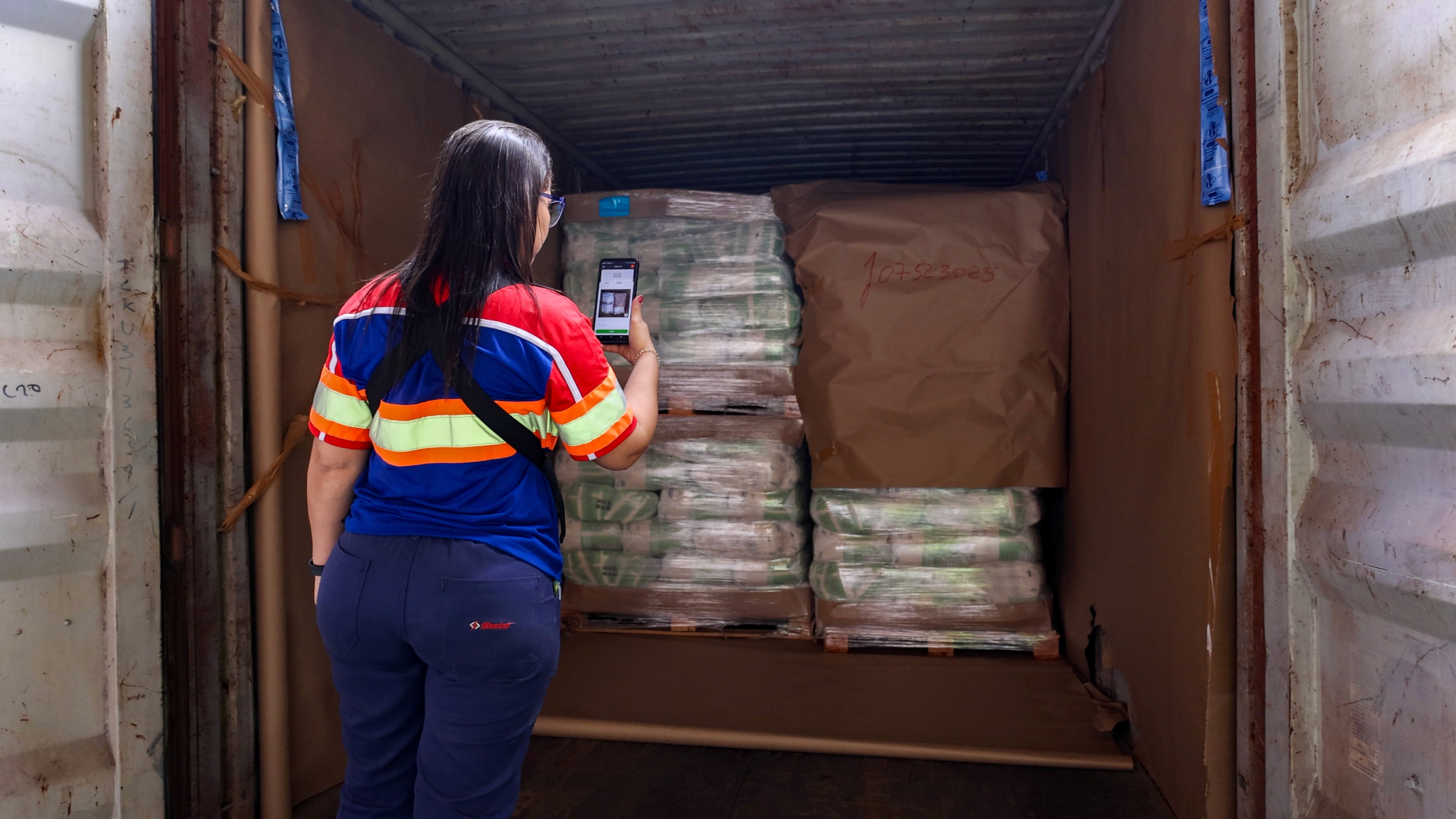
Put each required photo into a checklist step. The employee works through the steps in order, and each one asks for the photo: "Wide shot of the load," "Seal," "All four sides of the pallet." Nobody has to remember the list. The checklist is the list.
Anchor everything to a reference first. Scan the shipment, container or PO reference at the start of the inspection so every photo is tied to the right shipment automatically, rather than named or sorted by hand later.
Make the baseline mandatory and the exception conditional. Required steps can't be skipped. Damage steps only appear when damage is flagged.
Capture inside the app, not the camera roll. Photos taken through personal camera apps and sent over WhatsApp bypass the standard entirely. If you're dealing with that today, our article on how LSPs can store cargo photos and shipment proof in one place covers the storage side.
Step 4: Teach the technique with the Warehouse Photography Guide
A shot list tells people which photo to take. It doesn't make them good at taking it. That's where a shared set of rules helps.
The Warehouse Photography Guide turns the 12 rules into something your team can use on the floor, grouped into four areas: framing, light, camera quality and visibility. It includes a pre-shot checklist (correct angle, multiple angles, not too close, adequate lighting, no glare, sharp focus, clean lens, scale reference, clear view, photographed before and after) that fits naturally next to your shot list.
Practical ways to use it:
Print it and post it at the dock, next to the checklist the team already uses.
Use it in onboarding, so new starters learn the standard on day one instead of copying whoever they stand next to.
Use it as the reference in reviews, so feedback is "rule 7, scale reference" instead of "this photo isn't good enough."
Download the Warehouse Photography Guide to share with your team.
Step 5: Review a sample and close the gaps
A standard that nobody checks drifts. Once a month, pull a small sample of shipments and look at them against the shot list:
Are all required photos there?
Are the same photos missing again and again? That points to a step that's confusing, or a requirement that's too heavy for the time available.
Are certain docks, shifts or locations consistently weaker than others? That's a training gap, not a people problem.
Then adjust. Remove steps nobody can complete in time. Add a photo where claims keep asking for evidence you don't have. A good standard gets shorter and sharper over time, not longer.
How Cargosnap handles it
Cargosnap is built to make the standard the default. You build your shot list into checklists, so each required photo is a step the employee works through, with the same flow across every shift and location. Scan a reference at the start, and every photo and checklist step that follows is automatically tied to the right shipment. Photos and videos are captured inside the step they document, timestamped, and synced into one digital file per shipment.
Because the process is the same everywhere, managers can see what evidence is complete and what isn't, and use the Warehouse Photography Guide to coach on technique. Customers report a 45% decrease in damage claims and 38% less admin work.