" height="15.65460401053985px" id="E2hITFMIY" width="89px"/><path d="M 15.154 0 L 6.296 0 C 5.965 0 5.657 0.167 5.473 0.446 C 5.289 0.725 5.255 1.078 5.38 1.389 C 5.43 1.511 5.504 1.621 5.598 1.714 C 5.783 1.903 6.034 2.01 6.296 2.01 L 13.158 2.01 C 12.949 3.493 12.28 4.868 11.247 5.936 L 11.198 5.987 L 11.149 6.037 C 10.099 7.086 8.747 7.765 7.29 7.977 C 5.94 8.177 4.562 7.968 3.329 7.374 C 2.634 7.038 1.998 6.588 1.447 6.041 L 1.398 5.99 L 0 7.414 C 0.221 7.641 0.455 7.854 0.699 8.054 C 0.908 8.224 1.126 8.39 1.351 8.542 C 1.967 8.962 2.632 9.301 3.332 9.552 C 3.972 9.784 4.637 9.938 5.312 10.013 C 5.971 10.089 6.635 10.089 7.293 10.013 C 8.711 9.856 10.07 9.353 11.254 8.545 C 11.739 8.214 12.192 7.837 12.605 7.417 C 12.829 7.192 13.039 6.954 13.235 6.703 C 13.405 6.492 13.563 6.272 13.711 6.044 C 14.506 4.84 15.001 3.458 15.155 2.016 C 15.192 1.682 15.21 1.346 15.21 1.01 C 15.209 0.673 15.19 0.335 15.155 0 Z" fill="rgb(8, 46, 57)" height="10.070297475553705px" id="SUqhhb7Az" transform="translate(2.507 7.93)" width="15.210335938094289px"/></g></g></svg>)
Software
How LSPs can store cargo photos and shipment proof in one place

Logistics companies can store cargo photos and shipment proof centrally by capturing them inside a system that ties every photo, video, and checklist to a shipment or container reference at the moment of capture, rather than collecting them afterward from phones, WhatsApp chats, and email threads. The result is one chronological, searchable file per shipment that anyone with access can pull up in seconds, whether it's a customer service rep answering a query, an operations manager investigating a damage pattern, or an insurer asking for evidence.
Why cargo photos and shipment proof end up scattered
Nobody sets out to build a messy photo archive. It happens because people treat capturing evidence and storing evidence as two separate jobs.
A driver snaps a photo of a damaged pallet and sends it to dispatch on WhatsApp. A warehouse operator photographs a pallet at the dock and leaves it in the camera roll. A customer service rep forwards an email chain with three attachments. A supervisor saves a few files to a shared drive under a folder named after the week, not the shipment.
Every one of those photos is useful in isolation. None of them is findable when a claim lands six weeks later, and someone needs to know what a specific pallet looked like when it left your dock. Finding the right photo ends up taking longer than taking it.
What central storage actually needs to do
Putting every photo in one folder isn't central storage. It's a bigger pile. A system that holds up when a dispute arrives needs to do five things:
Link evidence to a reference at capture. A photo is only proof if you can say which shipment, container, or PO it belongs to. If someone has to match it up afterward, the link is already weak.
Keep everything in chronological order. What matters in a dispute is the sequence: what the goods looked like at receiving, at storage, at dispatch. One chronological view per shipment answers that without reconstruction.
Record when and where. Timestamps and location data are what make a photo credible. A photo with no date attached is an opinion.
Make it searchable for the people who need it. Customer service, operations, and claims teams all look for evidence differently: by reference number, customer, date, location. The system should serve all of them without asking whoever took the photo.
Control who can see and change what. Operators need fast capture. Managers need to review. Customers sometimes need to see the result. Central storage that anyone can edit isn't a record; it's a shared folder.
Where central storage usually breaks down
Most attempts at centralizing fail at one of three points:
Messaging apps and email. Fast to use, but files get compressed, buried in threads, and tied to a person's phone or inbox instead of to the shipment. When that person leaves the team, so does the evidence.
Shared drives and generic cloud storage. Better, but they store files, not context. Someone still has to name, sort, and link each file to the right shipment by hand, and that discipline fades under shift pressure.
General-purpose form and inspection apps. They capture photos inside a checklist, which helps, but they weren't built around shipment handling. Linking each record to a shipment reference, keeping a chronological handover history, and feeding data back to your WMS or ERP is something you build and maintain yourself.
The common thread: each option stores the photo but leaves the structure to people. Structure that depends on people remembering to apply it is the first thing to go on a busy day.
How to set it up: a step-by-step plan
Decide what counts as shipment proof. Photos at receiving, condition checks, loading photos, signed handover, damage evidence. Write down which moments need recording so capture stays consistent across shifts.
Pick one reference to anchor everything. A shipment number, container number, or PO. Every photo and checklist must carry it, ideally by scanning instead of typing.
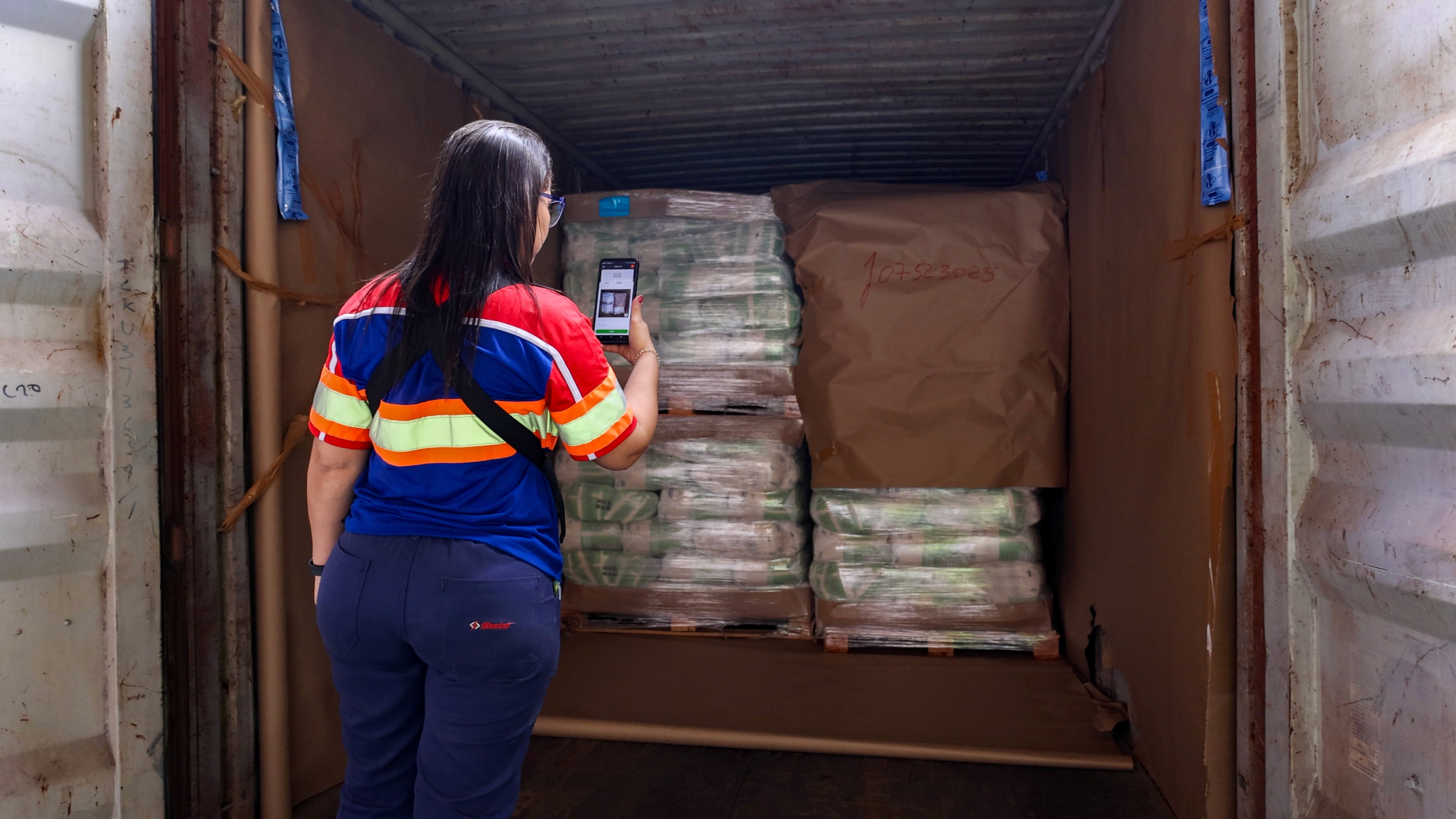
Capture on mobile, at the point of work. Photos taken on the dock, in the aisle, or at the truck should go straight into the system, not through someone's personal camera roll first.
Use structured checklists alongside photos. A photo shows condition; a checklist step confirms what was checked and who checked it. Together they make a record that stands up.
Set access by role. Decide who captures, who reviews, and who can see results across locations. Keep the capture flow simple for operators.
Connect it to your WMS, ERP, or TMS. Central storage that sits apart from your other systems becomes another place to check. Feed the evidence back to where your team already works.
Pilot on one process first. Start with inbound inspection or outbound loading at one site, fix what the floor tells you, then expand.
How Cargosnap handles it
Cargosnap is built around this problem. A reference is scanned at the start of the inspection, so every photo, video, and checklist step that follows automatically ties to the right shipment. Photos and videos are captured inside the step they document, timestamped, and synced into a single digital file per shipment, organized chronologically and visible to the operations team as soon as the inspection is done.
Because Cargosnap complements your existing WMS, ERP, or TMS rather than replacing it, the evidence captured on the floor feeds back into the systems your team already uses. And because every handling moment is stored in the same structure, you can analyze it later: which docks, shifts, or lanes have the most damage, and where claims costs are building up. Customers report a 45% decrease in damage claims and 38% less admin work.