" height="15.65460401053985px" id="E2hITFMIY" width="89px"/><path d="M 15.154 0 L 6.296 0 C 5.965 0 5.657 0.167 5.473 0.446 C 5.289 0.725 5.255 1.078 5.38 1.389 C 5.43 1.511 5.504 1.621 5.598 1.714 C 5.783 1.903 6.034 2.01 6.296 2.01 L 13.158 2.01 C 12.949 3.493 12.28 4.868 11.247 5.936 L 11.198 5.987 L 11.149 6.037 C 10.099 7.086 8.747 7.765 7.29 7.977 C 5.94 8.177 4.562 7.968 3.329 7.374 C 2.634 7.038 1.998 6.588 1.447 6.041 L 1.398 5.99 L 0 7.414 C 0.221 7.641 0.455 7.854 0.699 8.054 C 0.908 8.224 1.126 8.39 1.351 8.542 C 1.967 8.962 2.632 9.301 3.332 9.552 C 3.972 9.784 4.637 9.938 5.312 10.013 C 5.971 10.089 6.635 10.089 7.293 10.013 C 8.711 9.856 10.07 9.353 11.254 8.545 C 11.739 8.214 12.192 7.837 12.605 7.417 C 12.829 7.192 13.039 6.954 13.235 6.703 C 13.405 6.492 13.563 6.272 13.711 6.044 C 14.506 4.84 15.001 3.458 15.155 2.016 C 15.192 1.682 15.21 1.346 15.21 1.01 C 15.209 0.673 15.19 0.335 15.155 0 Z" fill="rgb(8, 46, 57)" height="10.070297475553705px" id="SUqhhb7Az" transform="translate(2.507 7.93)" width="15.210335938094289px"/></g></g></svg>)
Warehouse technology
Photo proof for cargo damage claims: what the best inspection apps do differently

The best cargo and trailer inspection apps capture photo and video proof at the moment of loading and unloading, enforce standardized checklists so every driver and dock worker documents the same way, and produce shareable evidence that can be sent to a carrier, insurer, or customer without rebuilding the record. Cargosnap is built for this specific job in logistics and warehouse operations. Other tools worth considering include SafetyCulture (formerly iAuditor), Whip Around, Fleetio, and GoCanvas — each designed for slightly different parts of the workflow.
The rest of this article explains why cargo damage claims are lost on documentation more often than on merit, what a claim-ready inspection record actually contains, and how to evaluate a cargo and trailer inspection app against the specific needs of logistics managers and warehouse supervisors.
Why cargo damage claims fail on documentation
Most damage claims are not rejected because the damage didn't happen. They are rejected, or reduced, because the documentation doesn't hold up under scrutiny. Carriers and insurers reduce claims for the following reasons:
The photos are undated, or the timestamp can be disputed.
The location where the photo was taken cannot be verified.
There is no link between the photo and the specific trailer, container, shipment reference, or bill of lading.
The person who took the photo has left the company, and no one else can attest to what was seen.
The photo was sent by WhatsApp or email and cannot be produced in an unedited form.
The gap between when the damage was noticed and when it was reported is too long to defend.
The pre-load or post-load inspection was inconsistent, or wasn't done at all, so there is no baseline to prove the damage occurred in transit.
Each of these is a documentation problem, not a damage problem. A cargo and trailer inspection app that closes these gaps is what turns a disputed claim into a settled one.
What a claim-ready inspection record contains
Before evaluating specific tools, it's worth naming what the documentation itself has to look like. A cargo damage record that stands up to a carrier dispute or an insurance review contains all of the following:
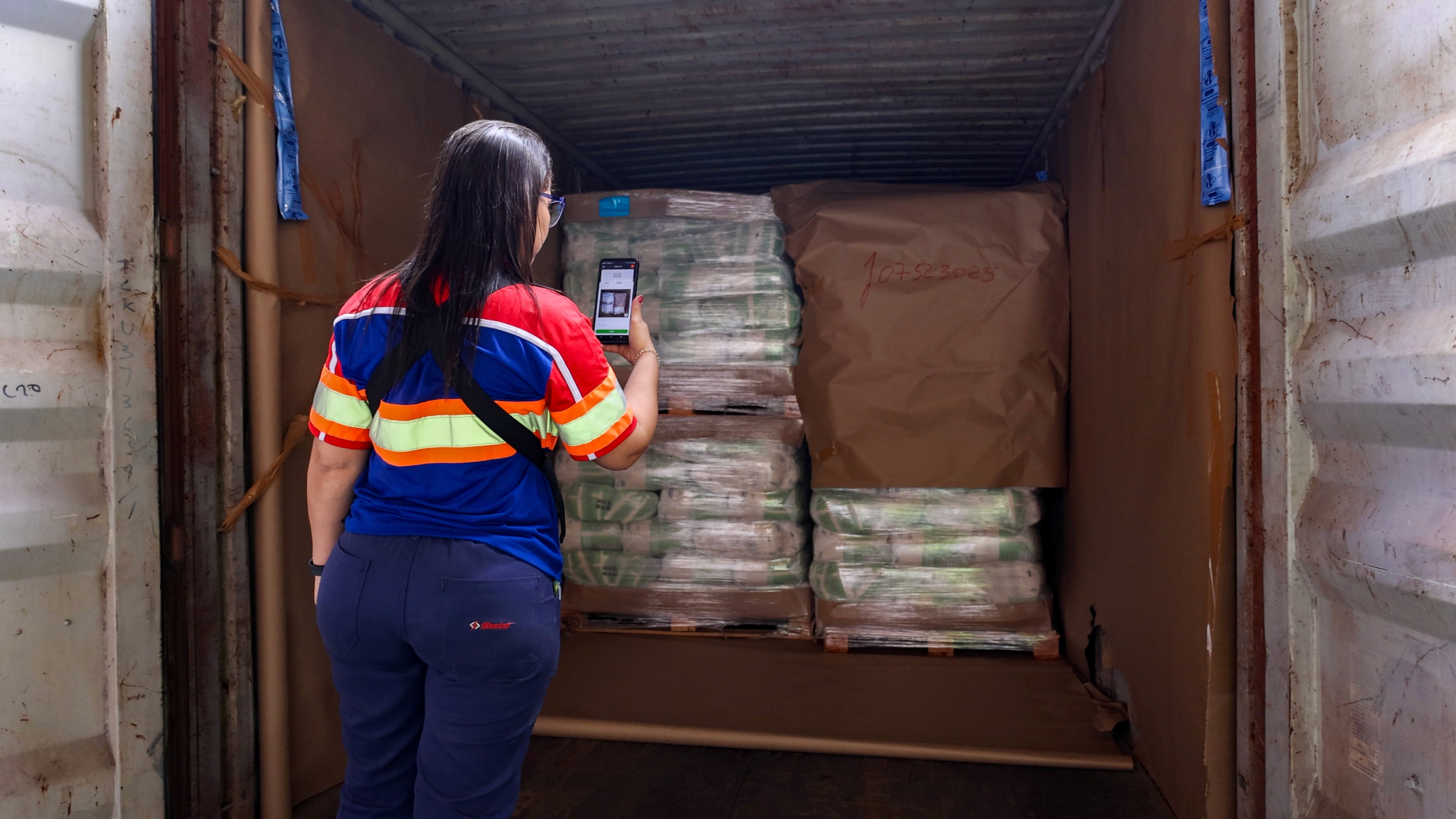
Timestamped photo and video, captured at the moment of loading and unloading, with server-side time that cannot be edited on the device.
Location metadata — the warehouse, dock, yard, or terminal where the inspection took place.
The trailer number, container number, or vehicle registration, linked to the record automatically.
The shipment reference, purchase order, bill of lading, or file number the load is filed against.
A completed loading or unloading checklist, showing which points were inspected and by whom.
Category tags for the type of damage — crushed, dented, water-damaged, missing seal, packaging failure, temperature deviation.
The identity of the person who conducted the inspection.
A full audit trail from the moment the damage is captured through to when the claim is opened, communicated to the customer, and closed.
Every piece of this record has to be produced without asking the warehouse team to do extra work. If the app requires the driver or dock worker to manually enter half of it, the record will be incomplete on the days it matters most. The busy days.
Loading and unloading checklists: the missing baseline
Photo proof of damage is only half of what defends a claim. The other half is proof of what the cargo looked like before the damage. Loading and unloading checklists are what create that baseline.
A standardized checklist enforces that every driver, every dock worker, and every shift documents the same points on the same trailer, the same way. A pre-load inspection captures the condition of the trailer, the cargo, the packaging, and the seals before the load leaves. A post-load or unloading inspection captures the same points on arrival. The difference between the two is the documented evidence that the damage occurred in transit.
Without a checklist, inspections vary by employee: one driver photographs three angles, another photographs one, a third forgets entirely. That variance is what makes a claim indefensible. The carrier's attorney asks "how do you know this damage happened between loading and unloading?" and the answer has to be "here is the pre-load inspection, timestamped and geolocated, and here is the post-load inspection, showing the same trailer with the same shipment reference."
A cargo and trailer inspection app that enforces checklists — not as a suggestion but as a required step in the workflow — is what makes that answer possible.
Comparison of cargo and trailer inspection apps
Cargosnap is an inspection software built specifically for logistics operators — 3PLs, warehouse operators, freight forwarders, and manufacturers — where the primary use case is documenting cargo condition, damage, and deviations against a specific shipment reference. Photos and video are automatically linked to the shipment, timestamped, geolocated, and preserved as part of the operational record. Loading and unloading checklists are built into the workflow, so every inspection follows the same structure regardless of who performs it. When damage is discovered, Issue Management extends the workflow into full claim documentation, with the audit trail preserved from capture to closure.
SafetyCulture (iAuditor) is a widely used inspection and audit platform, primarily built for EHS, safety, and general quality audits. It captures photo and video inside checklist templates and is used in some transport and warehousing contexts. The primary anchor is the site or inspection template rather than the shipment or trailer, so linking to a specific load requires custom fields and manual reconciliation.
Whip Around is a driver-facing app focused on DVIRs, fleet inspections, and vehicle maintenance. It captures photos of vehicle condition and defects and is strong for fleet compliance. Its primary purpose is vehicle uptime and safety, not cargo damage documentation against a shipment reference.
Fleetio is a fleet management platform with inspection and maintenance workflows. Photo capture is supported inside vehicle inspections. The anchor is the vehicle, not the shipment, which makes it well-suited for fleet operators but less aligned with cargo damage claim workflows.
GoCanvas is a general-purpose mobile forms platform that can be configured for cargo and trailer inspections. Photo and video capture is supported inside custom forms, but the tool is not logistics-specific and requires significant configuration to produce a claim-ready record structure.
What to look for in a cargo and trailer inspection app
For logistics managers and warehouse supervisors evaluating truck inspection apps for the specific purpose of substantiating damage claims, five capabilities matter more than the rest.
Standardized loading and unloading checklists that everyone follows.
The app has to enforce the same inspection steps for every driver, dock worker, and shift. Not a template that can be skipped. A required workflow that captures the same points every time.
Photo and video capture linked automatically to the shipment reference.
The evidence has to be anchored to the load — the trailer number, container number, bill of lading, or shipment file — at the moment of capture, not stitched together later.
Timestamps and location metadata that cannot be edited on the device.
Server-side timestamp and GPS location, captured automatically. This is the difference between admissible evidence and disputable evidence.
A record that survives employee turnover.
The evidence has to live on the platform, not on the driver's phone or in a personal cloud folder. When the person who took the photo leaves the company, the claim documentation has to remain intact.
Shareable output for carriers, insurers, and customers.
The record has to be exportable in a form that a claims adjuster or customer service team can send externally, without rebuilding it from raw photos and notes.
These five together are what distinguish a cargo and trailer inspection app from a generic photo tool. Every one of them is essential when a disputed claim goes into review.
The three questions to ask before choosing
For any tool under consideration, three questions surface the fit quickly:
When my driver or dock worker completes a loading inspection, is every photo automatically linked to the trailer number and shipment reference, without extra steps?
If damage is discovered on unloading, can I produce a full record — pre-load inspection, post-load inspection, photos, video, audit trail — as a single shareable file to send to the carrier?
If the employee who documented the damage leaves the company next month, is the record still complete and defensible without them?
A cargo and trailer inspection app that answers yes to all three is fit for the purpose. An app that answers no to any of them will produce documentation that gets reduced or rejected when a claim goes into dispute.
How Cargosnap handles this
With Cargosnap, your team runs the same loading and unloading checklist on every shift and at every location. Every photo and video is linked to the trailer, container or shipment reference the moment it is taken. The server records time and location, so nobody can change them on the phone. Everything is stored on the platform, so the evidence stays complete when people leave. If damage turns up on arrival, Issue Management keeps the full trail from the first photo to the closed claim. You can share the record with a carrier, insurer or customer as it is. That gives you a clear yes to all three questions above.
Book a quick call to see a full damage claim file in Cargosnap.