" height="15.65460401053985px" id="E2hITFMIY" width="89px"/><path d="M 15.154 0 L 6.296 0 C 5.965 0 5.657 0.167 5.473 0.446 C 5.289 0.725 5.255 1.078 5.38 1.389 C 5.43 1.511 5.504 1.621 5.598 1.714 C 5.783 1.903 6.034 2.01 6.296 2.01 L 13.158 2.01 C 12.949 3.493 12.28 4.868 11.247 5.936 L 11.198 5.987 L 11.149 6.037 C 10.099 7.086 8.747 7.765 7.29 7.977 C 5.94 8.177 4.562 7.968 3.329 7.374 C 2.634 7.038 1.998 6.588 1.447 6.041 L 1.398 5.99 L 0 7.414 C 0.221 7.641 0.455 7.854 0.699 8.054 C 0.908 8.224 1.126 8.39 1.351 8.542 C 1.967 8.962 2.632 9.301 3.332 9.552 C 3.972 9.784 4.637 9.938 5.312 10.013 C 5.971 10.089 6.635 10.089 7.293 10.013 C 8.711 9.856 10.07 9.353 11.254 8.545 C 11.739 8.214 12.192 7.837 12.605 7.417 C 12.829 7.192 13.039 6.954 13.235 6.703 C 13.405 6.492 13.563 6.272 13.711 6.044 C 14.506 4.84 15.001 3.458 15.155 2.016 C 15.192 1.682 15.21 1.346 15.21 1.01 C 15.209 0.673 15.19 0.335 15.155 0 Z" fill="rgb(8, 46, 57)" height="10.070297475553705px" id="SUqhhb7Az" transform="translate(2.507 7.93)" width="15.210335938094289px"/></g></g></svg>)
Best practices
How to move shipment photos out of WhatsApp into a proper inspection system

You move shipment photos out of WhatsApp by giving the floor team one inspection app where every photo is taken inside a checklist and saved to the shipment it belongs to. Then you stop accepting photos through chat, so there is one place to look when a customer or insurer asks for proof.
Why WhatsApp became the photo tool
Nobody chose WhatsApp as an inspection system. It just happened. Everyone has it on their phone. It is fast and it costs nothing. A team leader asks for a photo of a damaged pallet, and the photo arrives in seconds.
That works for one question on one day. It does not work as a record. After a few months, the warehouse has thousands of photos spread over group chats, private chats and personal phones. Nobody knows which photo belongs to which shipment.
What goes wrong with photos in WhatsApp
Problem | What it costs you |
|---|---|
Photos are not linked to a shipment | Hours of scrolling when a claim comes in |
Every employee takes different photos | Gaps in the evidence exactly where you need it |
Photos live on personal phones | Evidence leaves when the phone or the employee leaves |
Forwarded images are often compressed | Details and original data can get lost |
No checklist behind the photo | Nobody can show the inspection was complete |
The result is the same every time. The proof probably exists, but you cannot find it or show that it is complete. A disputed claim then turns into a discussion instead of a fact-based check.
What a proper inspection system does differently
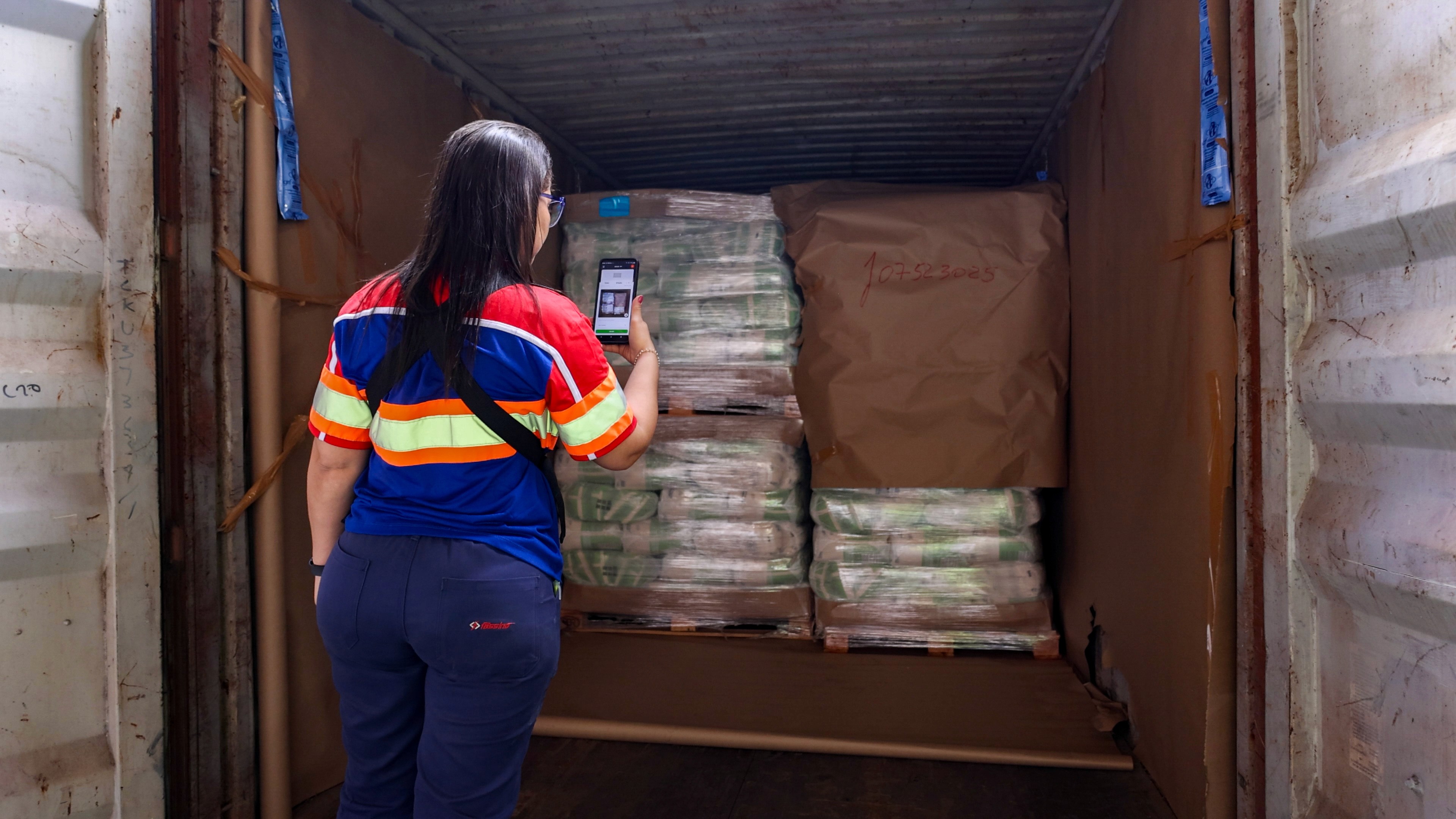
An inspection system starts from the shipment, not from the chat. The operator opens the shipment or scans the container, follows the checklist and takes the required photos. Each photo is saved with the time, the location and the shipment reference.
When you compare options, look for these points:
Photos are taken inside the inspection, not uploaded later from the gallery
Each inspection is tied to a shipment, container or transport file
Checklists set which photos and fields are required
The app works without signal and syncs later
Evidence is easy to find again by shipment, container or seal number
The system connects to your WMS or TMS
How to make the switch in 5 steps
Pick one workflow to start. Choose the flow with the most claims, for example, outbound containers or inbound receiving.
Define the required photos. Write down which photos every inspection needs, such as the container doors, the seal and the load. Build them into the checklist.
Train the team on the floor. Show the new flow during a normal shift. Keep the first checklist short so it is faster than sending a chat message.
Stop accepting photos in chat. Tell team leaders that photos sent through WhatsApp do not count as evidence. Reply with a link to the app instead.
Roll out to the next workflows and sites. Use the same base checklist and adjust only what a site or customer needs.
How Cargosnap handles it
Cargosnap is the material handling platform for logistics service providers and shippers. Teams capture inspections, damage, checklists, and handovers in one structured system, instead of on paper, in email, and in WhatsApp.
Each inspection ties timestamped photos, container number, seal number, and GPS location to the correct shipment or transport file. The mobile app runs on iOS and Android, works offline, and syncs when the device reconnects. Settings can differ per location, so each site can use the checklists its customers ask for. Deviations go into Issue management, where you log, assign, and close them. Cargosnap connects to TMS, WMS, and ERP systems via connectors, a REST API, and webhooks.
See inspection management for how checklists and photo inspections work, or read why photos alone are not proof.