Sharing

Share your work with your customers.

Share your work with your customers.

Every inspection on the warehouse floor reaches your customer, without extra work.

Fewer questions, faster answers, stronger claims.

Fewer questions, faster answers, stronger claims.

Sharing options

Four ways to get the proof to your customer.

Share by hand or automatically, as a link, a branded report or a portal. Pick what fits each customer.

Share any file in one click.

Enter an email address and your customer gets a link to the file, with every photo and video in full quality. Set your own subject line per team and leave out blurry or internal photos with one toggle.

Share any file in one click.

Enter an email address and your customer gets a link to the file, with every photo and video in full quality. Set your own subject line per team and leave out blurry or internal photos with one toggle.

Share any file in one click.

Enter an email address and your customer gets a link to the file, with every photo and video in full quality. Set your own subject line per team and leave out blurry or internal photos with one toggle.

Send every file without lifting a finger.

Create a contact list per customer. Files go out as a step in the workflow, the moment the inspection is done, or for every file a team creates.

Send every file without lifting a finger.

Create a contact list per customer. Files go out as a step in the workflow, the moment the inspection is done, or for every file a team creates.

Send every file without lifting a finger.

Create a contact list per customer. Files go out as a step in the workflow, the moment the inspection is done, or for every file a team creates.

Turn the file into a report with your logo.

Create a report from one file, or combine up to 10. Your logo replaces ours, so the report is ready for insurers, carriers and auditors.

Turn the file into a report with your logo.

Create a report from one file, or combine up to 10. Your logo replaces ours, so the report is ready for insurers, carriers and auditors.

Turn the file into a report with your logo.

Create a report from one file, or combine up to 10. Your logo replaces ours, so the report is ready for insurers, carriers and auditors.

Give customers their own portal.

Customers open a free Customer Portal account. Every new share appears there automatically, searchable by reference, date and company, in full quality.

Give customers their own portal.

Customers open a free Customer Portal account. Every new share appears there automatically, searchable by reference, date and company, in full quality.

Give customers their own portal.

Customers open a free Customer Portal account. Every new share appears there automatically, searchable by reference, date and company, in full quality.

From your warehouse floor to your customers' screen.

Documentation is not admin. It is your strongest trust tool.

Inspections

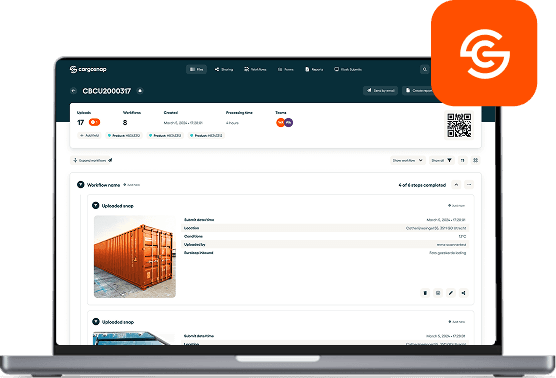
Every inspection, one file. Containers, warehouses, LSPs

Cargosnap

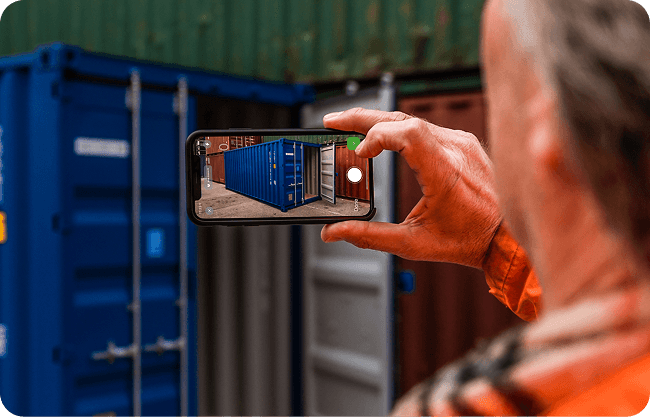
Operators capture data as work happens - 
scanned references, documents, and photos. 

Client insights & proof

Operators capture data as work happens - 
scanned references, documents, and photos. 

Show customers how their goods were handled.

See how sharing works in a short call.

Show customers how their goods were handled.

See how sharing works in a short call.

Show customers how their goods were handled.

See how sharing works in a short call.

Frequently asked questions

What logistics teams ask before they share files with customers.

What's the easiest way to share shipment evidence with customers?
icon

Share straight from the file. One email address is enough: your customer opens a link and sees every photo, check and signature. For customers you serve every day, contact lists send the files automatically.

Can customers get a branded report right after unloading?
icon

Yes. Add your logo once and every shared file and PDF report carries it. With a contact list, the file goes out the moment the unloading inspection is done.

Do customers need a Cargosnap account?
icon

No. They open shared files from the email link. Customers who receive files often can open a free Customer Portal account to see all their loads in one place.

Can I choose what the customer sees?
icon

Yes. Every upload is shared by default. Leave out single photos with one toggle, or exclude a type such as documents from every share.

Can I share everything a team does with one customer?
icon

Yes. Turn on automatic sharing for the team, and every new file goes to that customer's contact list. Useful for subcontracted logistics or 4PL work.

How many files fit in one PDF report?
icon

Up to 10 files per report. Reports stay available to download for 30 days.