" height="15.65460401053985px" id="E2hITFMIY" width="89px"/><path d="M 15.154 0 L 6.296 0 C 5.965 0 5.657 0.167 5.473 0.446 C 5.289 0.725 5.255 1.078 5.38 1.389 C 5.43 1.511 5.504 1.621 5.598 1.714 C 5.783 1.903 6.034 2.01 6.296 2.01 L 13.158 2.01 C 12.949 3.493 12.28 4.868 11.247 5.936 L 11.198 5.987 L 11.149 6.037 C 10.099 7.086 8.747 7.765 7.29 7.977 C 5.94 8.177 4.562 7.968 3.329 7.374 C 2.634 7.038 1.998 6.588 1.447 6.041 L 1.398 5.99 L 0 7.414 C 0.221 7.641 0.455 7.854 0.699 8.054 C 0.908 8.224 1.126 8.39 1.351 8.542 C 1.967 8.962 2.632 9.301 3.332 9.552 C 3.972 9.784 4.637 9.938 5.312 10.013 C 5.971 10.089 6.635 10.089 7.293 10.013 C 8.711 9.856 10.07 9.353 11.254 8.545 C 11.739 8.214 12.192 7.837 12.605 7.417 C 12.829 7.192 13.039 6.954 13.235 6.703 C 13.405 6.492 13.563 6.272 13.711 6.044 C 14.506 4.84 15.001 3.458 15.155 2.016 C 15.192 1.682 15.21 1.346 15.21 1.01 C 15.209 0.673 15.19 0.335 15.155 0 Z" fill="rgb(8, 46, 57)" height="10.070297475553705px" id="SUqhhb7Az" transform="translate(2.507 7.93)" width="15.210335938094289px"/></g></g></svg>)
Logistics Document Management
How to digitize and automate document management in the warehouse

Every shipment generates paperwork. Proofs of delivery, loading reports, inspection forms, damage reports, customs documentation, transport orders, warehouse checklists…The list continues to grow with every handover.
For many logistics companies, these documents still exist in paper folders, Excel sheets, emails, WhatsApp messages, and disconnected systems. Finding the right document often takes longer than creating it.
Modern logistics operations require faster access to reliable information. Digital document management makes it possible to capture, organize, retrieve, and share logistics documentation instantly, while reducing manual work and improving operational visibility.
What logistics document management actually covers
Logistics document management is the process of creating, storing, organizing, sharing, and retrieving operational documents throughout the supply chain.
Typical logistics documents include:
Freight documents
Bills of Lading (B/L)
CMRs
Proofs of Delivery (POD)
Incoming goods inspection reports
Damage reports
Warehouse inspection checklists
Packing lists
Customs documentation
Delivery notes
Transport orders
Photos and videos linked to shipments
Quality inspection forms
Instead of storing these documents across multiple systems or paper archives, digital document management keeps everything centralized and searchable.
The benefits and the cost savings of automating it
The benefits of automated logistics document management compound in a fairly predictable order:
Less time spent searching. A digital, indexed system replaces "which folder is that CMR in" with a search bar. For an admin team handling hundreds of shipments a week, that alone recovers hours.
Fewer lost or illegible documents. Paper CMRs get left in cabs, smudged, or simply lost. A digital version can't physically disappear, and a photo-based record can't become illegible.
Faster invoicing and payment cycles. When proof of delivery is available digitally the moment a shipment is completed, invoicing doesn't have to wait for a driver to hand in a stack of paper at the end of the week.
Fewer disputed claims. Combining document digitization with actual evidence (photos, timestamps, checklists) means fewer "he said, she said" conversations about whether a delivery arrived on time or in good condition.
Lower administrative headcount pressure. The cost savings usually show up here first: less manual data entry, less chasing paperwork, less time reconciling mismatched records between what the document says and what actually happened.
The cost-saving case is easiest to build around admin time and dispute reduction specifically, because both are measurable before and after: count the hours spent per week on document chasing and reconciliation today, then compare it to a digitized process. Most operations that make this switch find the admin-time savings alone justify the cost within a few months, before even counting the reduction in paid-out claims.
Tools and cloud solutions for warehouse document management
Most people asking which cloud solutions are popular for this are really comparing two different categories of tools without realizing it. And that's usually where the wrong one gets picked.
General-purpose inspection and form-building platforms
SafetyCulture (iAuditor), GoFormz, Fulcrum, TrueContext, Appenate let you build a digital checklist and store the results in the cloud. They're flexible and widely used across many industries, which is exactly their limitation here: none of them are built specifically for warehouse and shipment handling, so linking a form to a shipment reference, structuring a chronological handover record, or feeding data back into a WMS or ERP is something you configure and maintain yourself.
Purpose-built platforms like Cargosnap are built specifically around the warehouse handling workflow. Instead of a form that happens to store its results in the cloud, every inspection, photo, and checklist is automatically tied to a shipment or location reference, organized chronologically, and connected to your existing WMS, ERP, or TMS. The complete package (capture, checklists, compliance, team management, integrations) in one platform, rather than a form-builder you have to structure yourself.
The practical difference shows up fast: with a general-purpose tool, you're building the shipment-linking logic and the WMS integration as your own project. With a purpose-built platform, that structure already exists, and rollout looks more like configuration than construction.
Connecting documentation to Operations
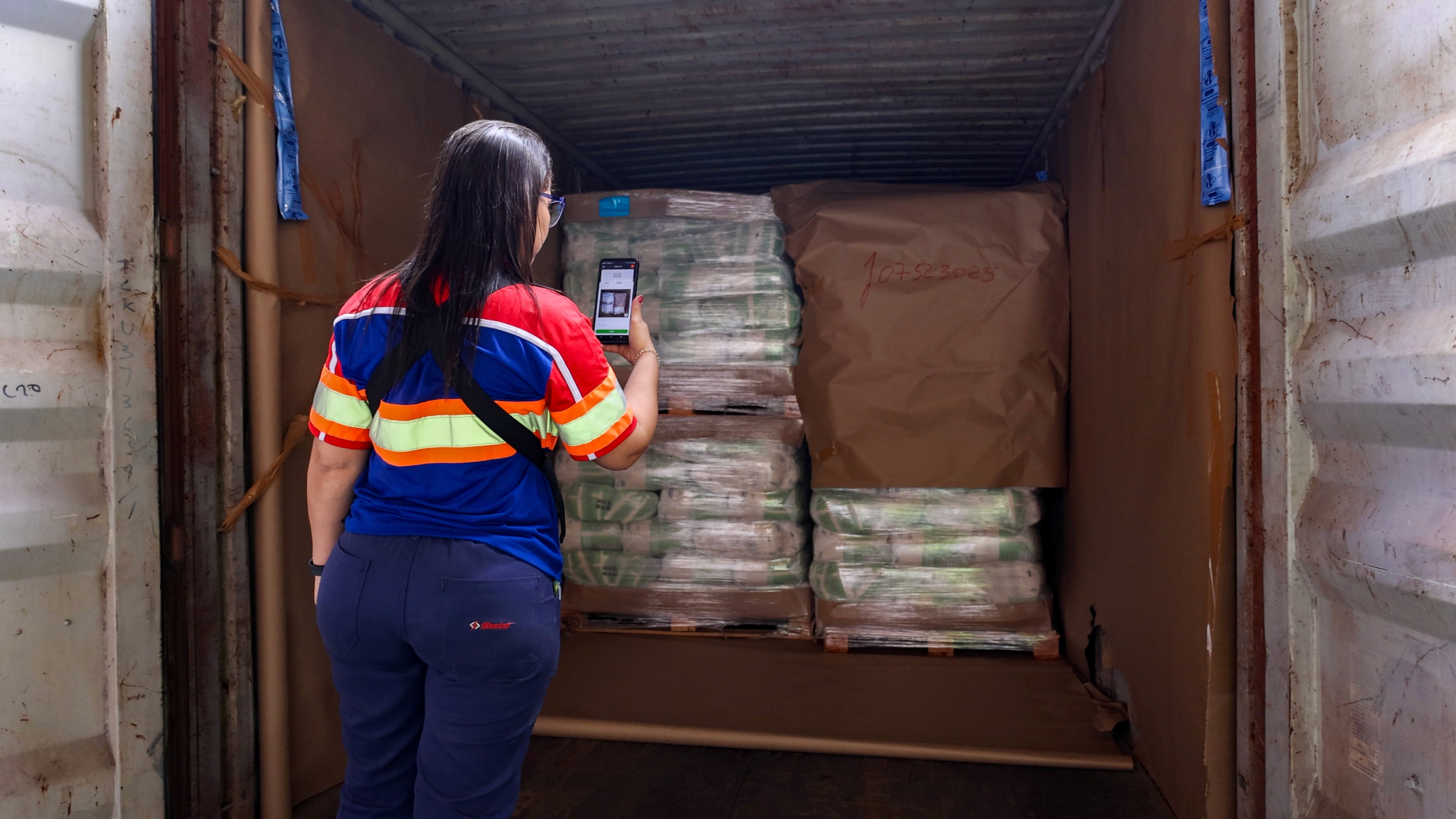
Many document management systems focus only on storing files. Modern logistics platforms go further by connecting documentation directly to operational activities. For example, inspection reports can automatically include:
Photos
Timestamps
Shipment references
Location data
Responsible employees
Recorded issues
Digital signatures
This creates a complete operational record instead of a collection of disconnected files.
How to go paperless in the warehouse: a step-by-step plan
Digitizing warehouse documentation is a smaller project than it sounds, if you sequence it in the right order:
Pick one real process to start with. Don't try to digitize every form at once. Choose a single workflow (e.g., inbound inspection) that's high-volume enough to matter and simple enough to get right quickly.
Map how the paperwork actually moves today. Write down who fills out the current form, when, and what happens to it afterward. Most rollouts fail because they digitize a broken process instead of fixing it first.
Build the checklist to match the real workflow, not a generic template. The digital version should mirror the steps your team already does, in the order they actually do them. That's what makes adoption fast instead of a fight.
Pilot it with one team or one shift. Run the new process with a small group before rolling it out warehouse-wide. This is where you catch gaps: missing fields, awkward steps, or a photo requirement that slows people down more than it should.
Connect it to your WMS or ERP before scaling. A digitized checklist that still needs to be manually re-entered into your other systems only moves the admin work. It doesn't remove it. Confirm the integration works before rolling out further.
Train for the exceptions, not just the standard case. Most paperless rollouts stumble on the edge cases: damaged goods, a rejected delivery, a shift with no signal. Cover those scenarios explicitly during training.
Expand once the pilot holds up. Once one process is running cleanly, extending it to other checklists, shifts, or locations is mostly repetition. Not a redesign.
Frequently asked questions
Is warehouse document digitization the same as a company-wide document management system?
No, a company-wide DMS typically handles contracts, invoices, and general business files. Warehouse document digitization is narrower and more operational: it's about the checklists, inspection reports, and handover records generated by people doing physical work on the floor, which is a different problem with a different set of tools.
Do we need to digitize everything at once?
No, and you shouldn't try to. Starting with one high-volume process — inbound inspection is a common starting point — makes it possible to get the workflow right before expanding, rather than rolling out a flawed process everywhere simultaneously.
Does a tool like Cargosnap replace our WMS?
No, it complements it. It captures what actually happens at each handling step — photos, checklists, timestamps, and feeds that data back into your WMS or ERP, rather than replacing the systems you already use to plan and track inventory.
How long does it take to see results after digitizing warehouse documentation?
Most teams see the admin-time savings within the first few weeks of a pilot, since the checklist becomes the record instead of requiring a second data-entry step. The dispute and claims reduction tends to show up over the following months as more shipments run through the digitized process.