" height="15.65460401053985px" id="E2hITFMIY" width="89px"/><path d="M 15.154 0 L 6.296 0 C 5.965 0 5.657 0.167 5.473 0.446 C 5.289 0.725 5.255 1.078 5.38 1.389 C 5.43 1.511 5.504 1.621 5.598 1.714 C 5.783 1.903 6.034 2.01 6.296 2.01 L 13.158 2.01 C 12.949 3.493 12.28 4.868 11.247 5.936 L 11.198 5.987 L 11.149 6.037 C 10.099 7.086 8.747 7.765 7.29 7.977 C 5.94 8.177 4.562 7.968 3.329 7.374 C 2.634 7.038 1.998 6.588 1.447 6.041 L 1.398 5.99 L 0 7.414 C 0.221 7.641 0.455 7.854 0.699 8.054 C 0.908 8.224 1.126 8.39 1.351 8.542 C 1.967 8.962 2.632 9.301 3.332 9.552 C 3.972 9.784 4.637 9.938 5.312 10.013 C 5.971 10.089 6.635 10.089 7.293 10.013 C 8.711 9.856 10.07 9.353 11.254 8.545 C 11.739 8.214 12.192 7.837 12.605 7.417 C 12.829 7.192 13.039 6.954 13.235 6.703 C 13.405 6.492 13.563 6.272 13.711 6.044 C 14.506 4.84 15.001 3.458 15.155 2.016 C 15.192 1.682 15.21 1.346 15.21 1.01 C 15.209 0.673 15.19 0.335 15.155 0 Z" fill="rgb(8, 46, 57)" height="10.070297475553705px" id="SUqhhb7Az" transform="translate(2.507 7.93)" width="15.210335938094289px"/></g></g></svg>)
Guide
Best inspection software for multi-site reporting in 2026
The best inspection software for multi-site reporting puts every site, shift and team on one dashboard. You see which inspections were done, which were missed, and where photos or data are missing. Nobody has to chase spreadsheets or WhatsApp groups to find out.
This guide is for operations managers at logistics service providers and shippers who run more than one warehouse or terminal.
Why multi-site reporting breaks down
Most inspection processes grow site by site. One warehouse uses paper checklists. Another sends photos by email. A third uses WhatsApp. Each site works, but nobody sees the full picture.
The gaps show up when it hurts most: a customer files a damage claim and the evidence is missing, incomplete or stuck on someone’s phone.
One Cargosnap user describes it on G2:
“Cargosnap addresses a major pain point in cargo inspections: fragmented, informal processes that traditionally rely on paper checklists, emails, or personal messaging apps. Those approaches often result in missing evidence and disputed damage claims.”
Review collected by and hosted on G2.com
What to look for in multi-site inspection software
What to look for | Why it matters |
|---|---|
One dashboard for all sites and shifts | You compare sites without merging spreadsheets |
Completed vs. missed inspections | You spot gaps before a shipment leaves, not after a claim |
Missing photos and exceptions flagged | Incomplete evidence is the main reason claims get disputed |
Evidence tied to the shipment | Photos, container number, seal number, time, and GPS location stay with the right transport file |
Works offline | Yards and trailers often have poor signal |
Settings per location | Each site can follow its own flow within one standard |
Integrations | Data flows to your TMS, WMS, or ERP without double entry |
Fast support | Shift teams can’t wait days for answers |
Inspection software compared
Cargosnap. Best for logistics service providers and shippers who need proof of condition per shipment across warehouses and terminals. Built for loading, unloading, container and handover inspections. See how Cargosnap compares.
SafetyCulture. Best for general safety audits and site inspections across many industries. Cargosnap vs SafetyCulture.
GoAudits. Best for audit checklists and scoring in retail, hospitality, and facilities. Cargosnap vs GoAudits.
MoreApp and Jotform. Best for building custom digital forms when you don’t need evidence linked to a shipment. Cargosnap vs MoreApp · Cargosnap vs Jotform.
How Cargosnap handles multi-site reporting
One standard flow for every site. Teams follow the same steps on their phone, so every inspection is complete and comparable.
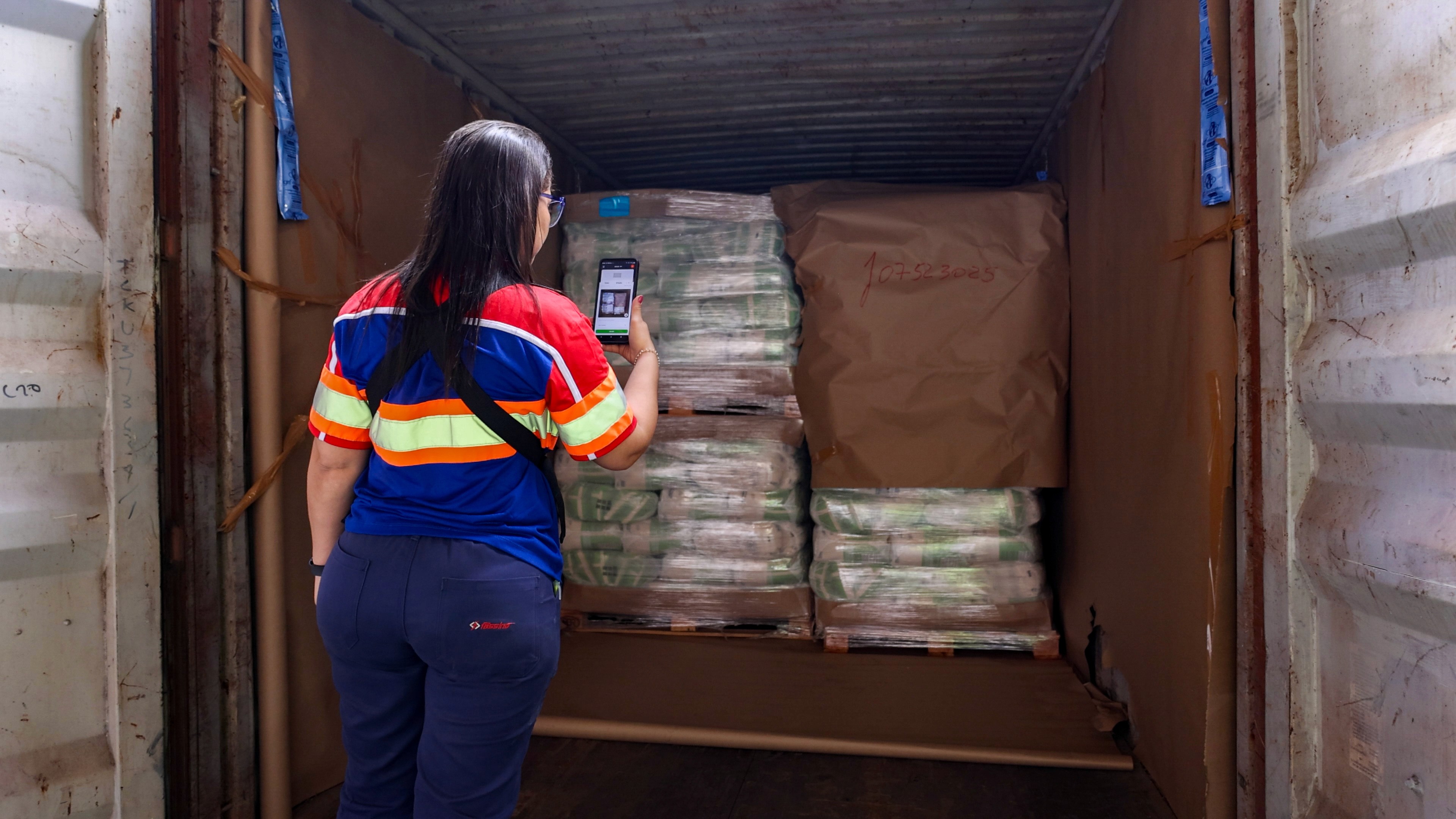
Evidence linked to the shipment. Each inspection automatically stores timestamped photos, container number, seal number, and GPS location with the right shipment or transport file.
Real-time visibility across handovers. Managers see what happens at each site and shift as it happens.
Works offline. Inspections sync as soon as the device reconnects.
Settings per location. Each site gets its own checklists and fields.
Insights and Issue management. Track KPIs across sites and follow up on deviations in one place.
Integrations. Connect to your TMS, WMS, or ERP through connectors, the REST API, or webhooks.
The same G2 reviewer sums up the result:
“In our day-to-day operations, this gives us real-time visibility across handoffs and creates an indisputable proof-of-condition record. As a result, it significantly speeds up damage-claim resolution, reduces friction with customers and subcontractors, and helps enforce consistent operational quality across all warehouse and terminal shifts.”
Review collected by and hosted on G2.com
Cargosnap is used by 400+ customers in 40+ countries, with 20M+ inspections performed.
How to roll out inspections across multiple sites
Start with one site and one flow. Outbound loading is a good first choice.
Make key photos and fields required. Without a container number or seal photo, you can’t complete the inspection.
Set up each location. Add site-specific checklists while keeping the core steps the same.
Review the dashboard every week. Compare sites and shifts, and follow up on missed inspections.
Add the next site. Copy the setup and adjust only what’s different.
Frequently asked questions
What is multi-site inspection reporting?
It means seeing inspection results from all your warehouses, terminals, and shifts in one place. Managers can compare sites, find gaps, and act on issues without collecting reports by hand.
How can a warehouse manager see which inspections were completed and which were missed?
Use inspection software that logs every inspection against a shipment or task. The dashboard then shows which inspections are complete, incomplete, and missing, by site and shift.
Which inspection software shows missing photos and exceptions on one dashboard?
Look for software that makes photos required and flags inspections with missing data. Cargosnap ties every photo, container number, and seal number to the shipment, so gaps are visible across all sites.
Does inspection software work without internet?
Good inspection apps work offline. With Cargosnap, teams keep inspecting without signal, and data uploads automatically when the device reconnects.