" height="15.65460401053985px" id="E2hITFMIY" width="89px"/><path d="M 15.154 0 L 6.296 0 C 5.965 0 5.657 0.167 5.473 0.446 C 5.289 0.725 5.255 1.078 5.38 1.389 C 5.43 1.511 5.504 1.621 5.598 1.714 C 5.783 1.903 6.034 2.01 6.296 2.01 L 13.158 2.01 C 12.949 3.493 12.28 4.868 11.247 5.936 L 11.198 5.987 L 11.149 6.037 C 10.099 7.086 8.747 7.765 7.29 7.977 C 5.94 8.177 4.562 7.968 3.329 7.374 C 2.634 7.038 1.998 6.588 1.447 6.041 L 1.398 5.99 L 0 7.414 C 0.221 7.641 0.455 7.854 0.699 8.054 C 0.908 8.224 1.126 8.39 1.351 8.542 C 1.967 8.962 2.632 9.301 3.332 9.552 C 3.972 9.784 4.637 9.938 5.312 10.013 C 5.971 10.089 6.635 10.089 7.293 10.013 C 8.711 9.856 10.07 9.353 11.254 8.545 C 11.739 8.214 12.192 7.837 12.605 7.417 C 12.829 7.192 13.039 6.954 13.235 6.703 C 13.405 6.492 13.563 6.272 13.711 6.044 C 14.506 4.84 15.001 3.458 15.155 2.016 C 15.192 1.682 15.21 1.346 15.21 1.01 C 15.209 0.673 15.19 0.335 15.155 0 Z" fill="rgb(8, 46, 57)" height="10.070297475553705px" id="SUqhhb7Az" transform="translate(2.507 7.93)" width="15.210335938094289px"/></g></g></svg>)
Guide
Top 3 visual reporting tips for warehouse and operations managers

Visual reporting helps warehouse and operations managers turn daily handling activities into clear, actionable information. By capturing structured photos, standardizing workflows, and organizing proof by event, teams can identify issues earlier, reduce errors, and speed up decision-making. When visual reporting is consistent and audit-ready, it becomes a reliable source of operational truth across loading, unloading, storage, VAS, and quality control.
Why this matters
The biggest problem in warehouses is not the absence of photos. It’s the inconsistency. One shift photographs damage thoroughly, another takes blurry or incomplete images, and another forgets entirely. This inconsistency prevents managers from comparing events, identifying patterns, or proving what happened at a handover.
A warehouse only benefits from visual reporting when the capture process is structured.
How to standardize visual capture
To ensure reliable visual data:
Use a fixed checklist for each workflow (loading, receiving, VAS, picking).
Require specific photo angles: full pallet, label close-up, seal number, container door, interior walls, etc.
Make image capture mandatory for critical checkpoints.
Enforce timestamped and user-linked images so every photo has context.
Operational example
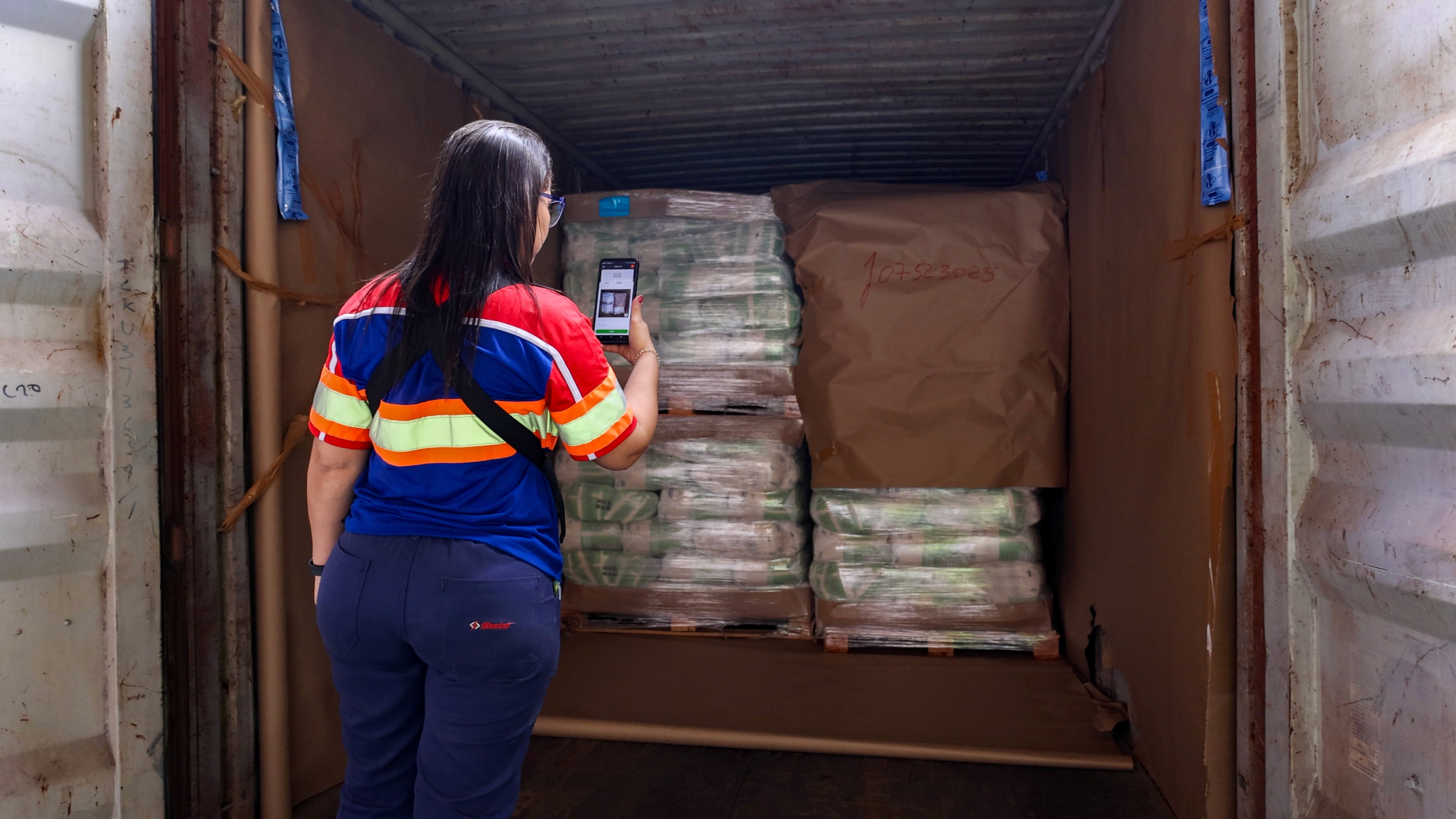
During inbound receiving, inspectors capture:
pallet overview,
barcode/label,
any visible damage,
lot/expiry details,
seal condition.
That sequence done the same way every time creates a reliable trail of truth.
Organize photos by workflow, not by device or folder
Why this matters
Most warehouses still rely on photos stored on phones, shared drives, USBs, or WhatsApp. This leads to unsearchable archives, missing proof, and long delays when a customer or auditor asks “What happened to this shipment?”
When images are unstructured, reporting becomes manual and reactive.
How to structure visual reporting
Visual reporting becomes powerful when images are automatically grouped by:
Workflow (receiving, loading, picking, cross-docking)
Shipment or order ID
Asset (container, pallet, truck)
Location (dock door, warehouse zone, cold room)
User (who took the photo)
Timestamp
This structure does two things:
It turns photos into data you can search, filter, and analyze.
It ensures audits, disputes, and claims can be resolved in seconds instead of hours.
Operational example
If a customer reports missing items from a pallet, operations can instantly open the visual record for that pallet ID—complete with photos from receiving, VAS, and loading—rather than digging through someone’s camera roll.
Why this matters
Managers often have the right photos but present them in the wrong way. Scattered images, mixed formats, and manually edited PDFs make reporting slow and unclear. A good report should explain the story of what happened without needing extra context.
How to make visual reports clear and professional
Effective reports include:
A structured layout: header (shipment or inspection ID), workflow summary, images in order
Embedded captions: each image linked to the exact step in the workflow
Measurements & notes: temperature, seal number, quantity, damage description
Automatically generated metadata: timestamps, user, location
A pass/fail or outcome section
This removes ambiguity and gives internal teams, customers, and auditors the confidence that the process is controlled and reliable.
Operational example
A damage report includes:
Workflow name (Inbound Inspection)
Reference (PO #, GRN #, pallet #)
6–10 photos with captions
Description of issue
Recommended next step
Responsible team
This type of reporting is standardized, audit-friendly, and scalable.