Compliance
How to create audit-ready inspection reports with images
Audit-ready inspection reports are inspection records that are complete, consistent, and instantly shareable with auditors, customers, or regulators. They combine checklists, timestamps, and images into one standardized file, so you can prove what happened during an inspection without searching through folders or chats. When reports are audit-ready by design, audits become a simple export instead of a stressful reconstruction exercise.
What are audit-ready inspection reports with images?
An audit-ready inspection report links every check you perform to clear, visual proof. Instead of scattered photos and paper forms, you have a single, structured record that shows:
what was inspected
when and where it happened
who performed the check
what the result was
supporting images and comments
This makes it easy for anyone to verify the true condition of goods or facilities at a specific point in time.
Why traditional inspection reporting breaks at audit time
Most teams don’t feel the pain during daily operations. The problems show up later, when an audit, claim, or dispute appears:
Photos are stored on personal phones or WhatsApp.
Paper or Excel checklists live in separate folders.
There’s no clear link between the inspection, the images, and the shipment or location.
Timestamps and responsibilities are unclear.
The result: people spend hours reconstructing what happened instead of simply sharing a reliable report.
What an audit-ready inspection report should include
To be truly audit-ready, an inspection report should contain:
A clear reference (shipment, load, location, asset, or order)
The full checklist that was followed
Timestamps and user details for every step
Images and annotations linked to the relevant checks
Recorded measurements (e.g. temperature, lot numbers, seal numbers)
A clear outcome: pass, fail, or follow-up required
If any of these elements is missing or stored elsewhere, audits become slower and less reliable.
How to create audit-ready inspection reports with Cargosnap
Step 1: Standardize your inspection workflows
Start by defining or selecting a digital workflow template for the type of inspection you run (for example: incoming goods, frozen goods, container inspection, storage area hygiene). Include all checkpoints required by your customers, auditors, or standards: condition, packaging, temperature range, labeling, cleanliness, seals, and more.
Step 2: Capture images and data on-site
Inspectors use the mobile app to follow the workflow step by step.
At each step, they can capture geo- and timestamped images, scan barcodes, and record data such as lot numbers, temperatures, or comments — all tied directly to the inspection, not to a separate camera roll.
Step 3: Review the complete digital file
As soon as the inspection is finished, a complete file is created. From a single view, you can see:
which steps were completed
which images were taken
who performed the inspection and when
There’s no need to manually assemble photos and notes into a document.
Step 4: Generate reports in seconds
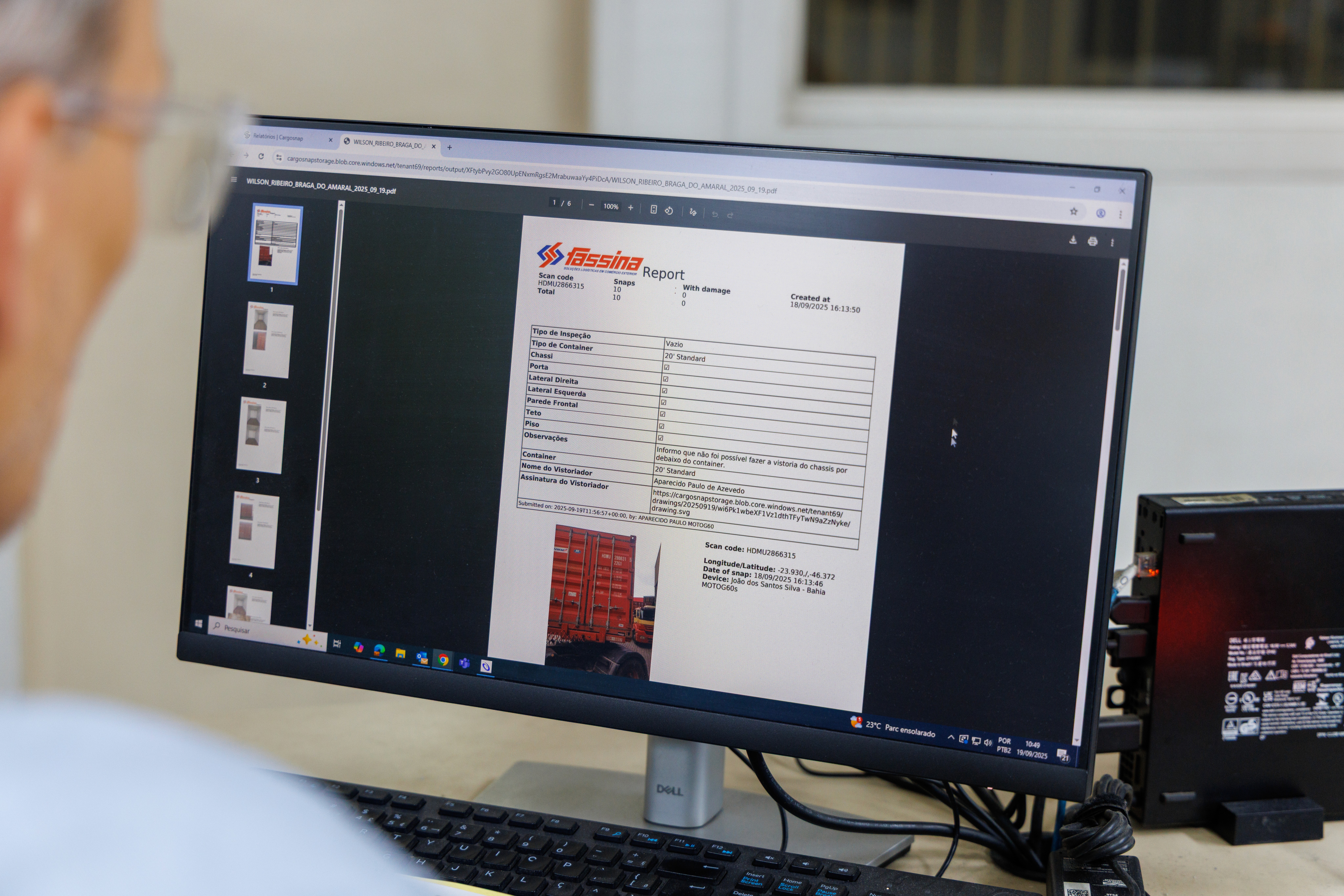
With one click, you export a report as PDF or Excel that includes:
the full checklist
all results and measurements
embedded or attached images
metadata such as timestamps and user details
The format is consistent every time, so internal teams, auditors, and customers always receive the same clear structure.
Key benefits of audit-ready inspection reports
When inspections are designed to be audit-ready from the start, you:
Reduce disputes and claims – you can show the condition of goods at every key moment.
Shorten audits – all required proof is already organized, no hunting for files.
Improve internal visibility – operations, quality, and management work from the same data.
Prove compliance proactively – you send evidence before someone needs to ask.
Want to see what an audit-ready report with images looks like in practice? See a real-life report here